How to Use ExamGuide SSCE 2026 Offline: A Complete Step-by-Step Guide
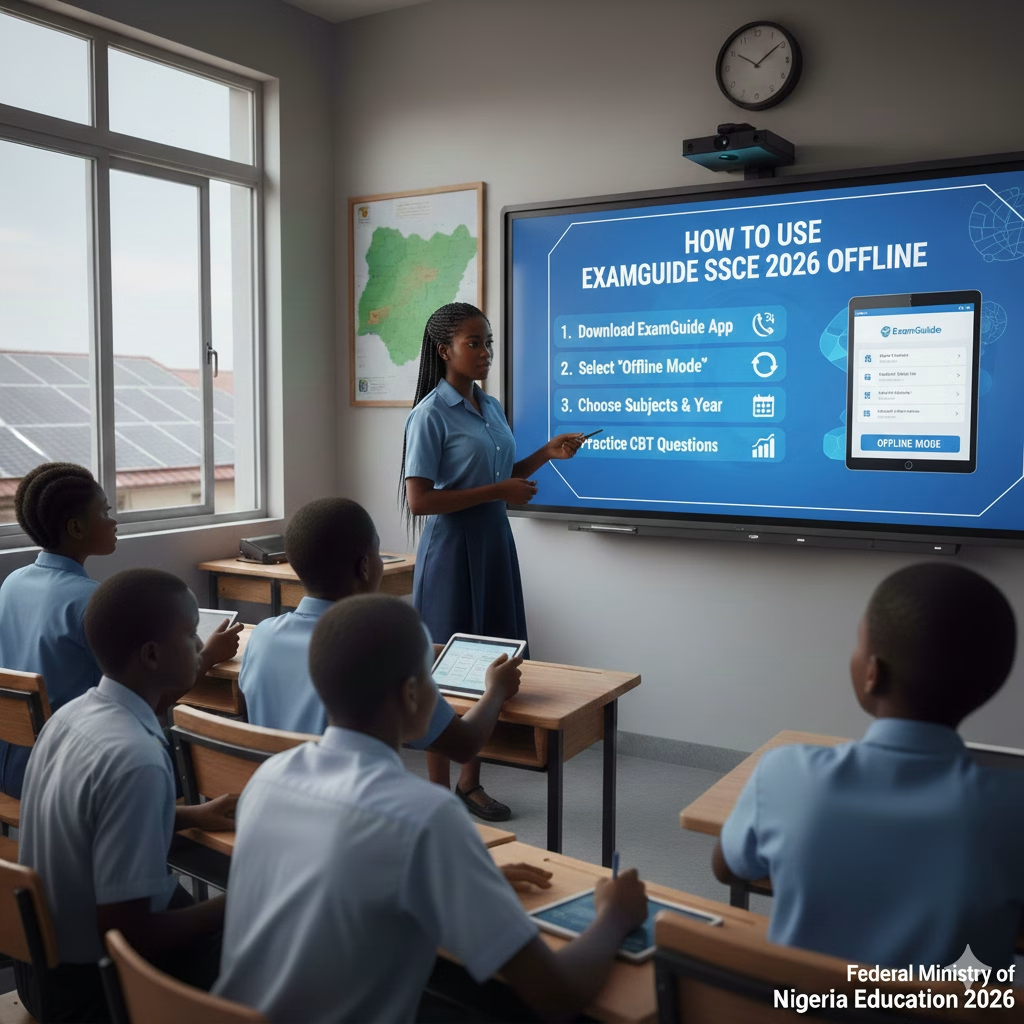
Preparing for WAEC, NECO, or GCE in Nigeria can be stressful, especially when internet access is unreliable or expensive. That’s why many students are searching for how to use ExamGuide SSCE 2026 offline to study anytime, anywhere without worrying about data.
The good news? ExamGuide can be used completely offline once it’s properly set up. In this guide, you’ll learn exactly how to download, install, activate, and study with ExamGuide SSCE 2026 offline on your phone or computer.
Whether you’re a science, art, or commercial student, this article will walk you through everything in simple terms.
What Is ExamGuide SSCE?
ExamGuide SSCE is a popular CBT practice software used by Nigerian students to prepare for:
-
WAEC (WASSCE)
-
NECO SSCE
-
GCE (WAEC & NECO)
-
NABTEB (selected subjects)
It contains:
-
Past questions and answers
-
CBT exam simulation
-
Timed practice tests
-
Performance scoring and corrections
For SSCE 2026 candidates, ExamGuide remains one of the most reliable offline exam practice tools available.
Can ExamGuide SSCE 2026 Be Used Offline?
Yes, absolutely.
Once you download and activate ExamGuide, you can:
Read more: Nigerian History Past Questions for Common Entrance: Ultimate Guide
-
Practice past questions offline
-
Write full CBT mock exams without internet
-
Review answers and explanations anytime
Internet is only needed for:
-
Initial download
-
Activation or license validation
-
Updates (optional)
After that, offline study is fully supported.
Devices That Support ExamGuide Offline
You can use ExamGuide SSCE 2026 offline on:
1. Android Phones & Tablets
-
Most common option
-
Best for students without laptops
-
Easy to carry and study anywhere
2. Windows Computers (PC/Laptop)
-
Ideal for CBT center–style practice
-
Bigger screen and keyboard experience
ExamGuide does not officially support iPhone (iOS).
How to Use ExamGuide SSCE 2026 Offline on Android (Step-by-Step)
Step 1: Download the ExamGuide App
-
Visit the official ExamGuide website or an authorized vendor
-
Download the Android APK file
-
Allow installation from “Unknown Sources” in your phone settings
Step 2: Install the App
-
Tap the downloaded APK file
-
Follow the installation prompts
-
Wait for installation to complete
Step 3: Activate ExamGuide
Activation is very important.
You can activate by:
-
Scratch card PIN
-
Online activation code
-
School or coaching center license
Once activated successfully, your app is unlocked for offline use.
Step 4: Download Subjects for Offline Use
Inside the app:
Check out: Cheapest Private Universities in Nigeria with Low Tuition (2026)
-
Select your exam type (WAEC, NECO, GCE)
-
Choose your subjects (e.g., Mathematics, English, Biology)
-
Allow the subjects to load fully
After this step, no internet is needed again.
Step 5: Switch to Offline Mode
-
Turn off mobile data or Wi-Fi
-
Open ExamGuide
-
Start practicing past questions normally
If the app opens and questions load, you’re successfully using ExamGuide offline.
How to Use ExamGuide SSCE 2026 Offline on a Computer
Step 1: Install ExamGuide for Windows
-
Download the Windows version from the official source
-
Run the setup file
-
Complete installation
Step 2: Activate the Software
-
Enter your activation PIN or license code
-
Confirm activation while online
Step 3: Practice Offline
After activation:
-
Disconnect from the internet
-
Open the software
-
Select subject and exam year
-
Start CBT practice offline
This setup closely mirrors the real WAEC CBT environment.
Best Way to Study Offline With ExamGuide SSCE 2026
Using ExamGuide offline is powerful, but only if you use it correctly.
1. Use Timed CBT Practice
-
Set exam time limits
-
Simulate real WAEC conditions
-
Train speed and accuracy
2. Practice by Topic
Instead of random questions:
-
Focus on weak topics
-
Revise difficult areas repeatedly
3. Review Corrections Carefully
ExamGuide explains answers.
Don’t just score, understand why an answer is correct.
See also: Smart Science: Less Competitive Courses in Nigeria with High Job Prospects (2026)
4. Track Your Scores
-
Write down scores weekly
-
Watch your improvement
-
Adjust your study focus
Subjects Available on ExamGuide SSCE 2026
ExamGuide supports most WAEC/NECO subjects, including:
Science
-
Mathematics
-
English Language
-
Biology
-
Chemistry
-
Physics
-
Further Mathematics
Arts
-
Literature in English
-
Government
-
History
-
CRS / IRS
Commercial
-
Economics
-
Commerce
-
Financial Accounting
Availability may vary slightly by version, but most core subjects are included offline.
Common Problems and How to Fix Them
Problem 1: App Requests Internet Every Time
Solution:
Ensure activation was completed successfully. Incomplete activation causes repeated verification.
Problem 2: Questions Not Loading Offline
Solution:
Open each subject once while online to allow full content download.
Problem 3: App Crashes or Freezes
Solution:
-
Clear app cache
-
Restart device
-
Ensure enough storage space
Problem 4: Activation Code Not Working
Solution:
-
Check for typing errors
-
Confirm code hasn’t been used
-
Contact the seller or ExamGuide support
Is ExamGuide Enough for SSCE 2026?
ExamGuide is excellent for practice, but it should not be your only study tool.
For best results, combine it with:
-
WAEC-recommended textbooks
-
School notes
-
Teacher explanations
-
Past questions in written form
Think of ExamGuide as your exam rehearsal, not your only teacher.
Read more: WAEC CBT Software Guide for 2026 Exams: Everything You Need to Know
Benefits of Using ExamGuide SSCE 2026 Offline
-
No internet cost
-
Study anywhere, anytime
-
Real CBT exam experience
-
Instant scoring and feedback
-
Reduces exam anxiety
-
Improves speed and confidence
For students in areas with poor network, offline access is a huge advantage.
Final Thoughts
If you’re preparing for WAEC, NECO, or GCE, learning how to use ExamGuide SSCE 2026 offline can completely change your study routine. Once installed and activated, the software becomes a reliable, data-free study companion that helps you practice smarter, not harder.
Set it up early, practice consistently, and treat every session like the real exam. That discipline alone can boost your confidence and performance in 2026.
FAQs: ExamGuide SSCE 2026 Offline
1. Can I use ExamGuide without internet at all?
Yes, after download and activation, ExamGuide works fully offline.
2. Does ExamGuide cover WAEC 2026 syllabus?
Yes, it uses updated WAEC and NECO past questions aligned with the syllabus.
3. Can I install ExamGuide on more than one device?
Usually no. Most activation codes are limited to one device.
4. Is ExamGuide better than paper past questions?
It’s better for CBT practice, but both should be used together.
5. Does ExamGuide work on iPhone?
No, ExamGuide currently supports Android and Windows only.